
Export more blogs
Comprehensible input is not just more foreign language.
It works best when you can follow the message and stretch slightly beyond what you already know. A page you chose to read already gives you topic knowledge, intent, tone, and surrounding clues.
NeonLingo helps language learners turn normal browsing into input they can actually understand. Stay on the page, get help only where meaning breaks, save useful words, and meet them again later.
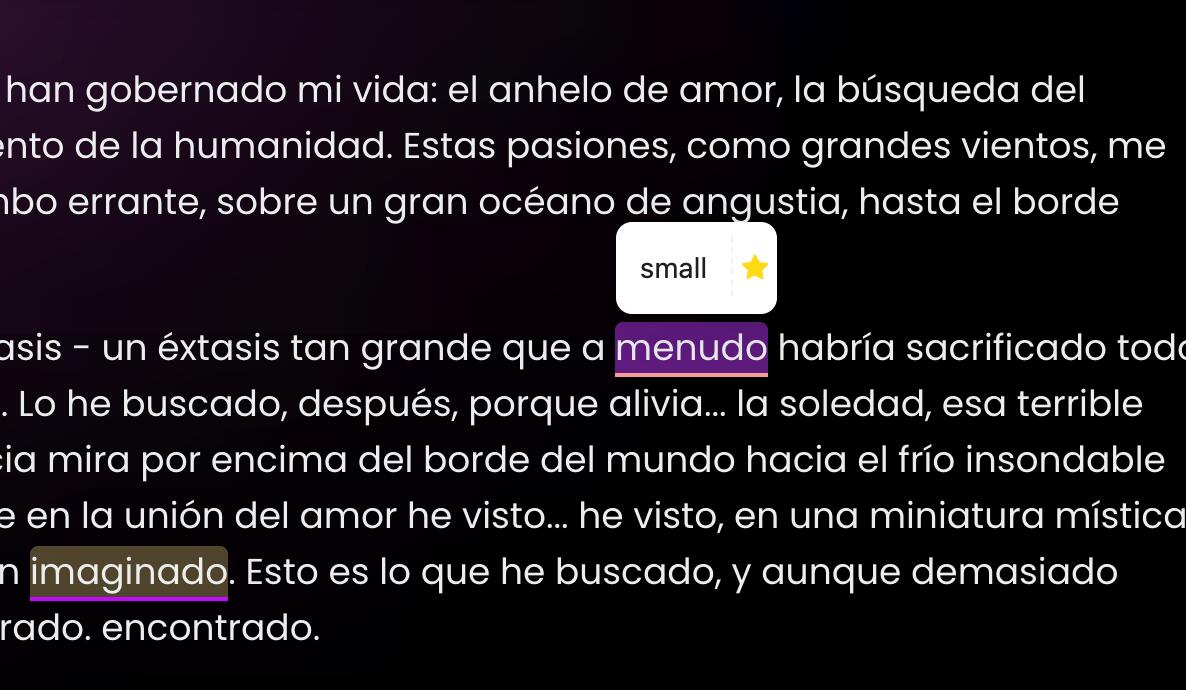
Why a Comprehensible Input Chrome Extension Needs Context
A useful reading workflow starts with real content.
Instead of artificial lesson paragraphs, you can read websites you already care about: tech docs, essays, travel guides, social posts, articles, or product pages. The familiar topic gives you a base layer of meaning.
NeonLingo keeps the learning moment inside the browser. You can understand the page first, then use lightweight translation, highlighting, and vocabulary capture as support.
That helps you:
- read real websites instead of artificial lesson paragraphs
- let a few target-language words appear inside content you already understand
- use contextual help, word saving, and re-encounter highlights without leaving the page

The i+1 Loop Inside Your Browser
The loop is intentionally small: understand enough, notice one useful thing, keep moving, and let repetition happen naturally.
Start With Familiar Content
Read something you already care about, such as tech docs, essays, travel guides, or social posts.
Add a Small Stretch
Expose yourself to selected target-language words without turning the whole page into a wall of unknown text.
Recover Meaning Quickly
Select text when a sentence breaks down and use context-aware help to keep reading.
Meet Words Again
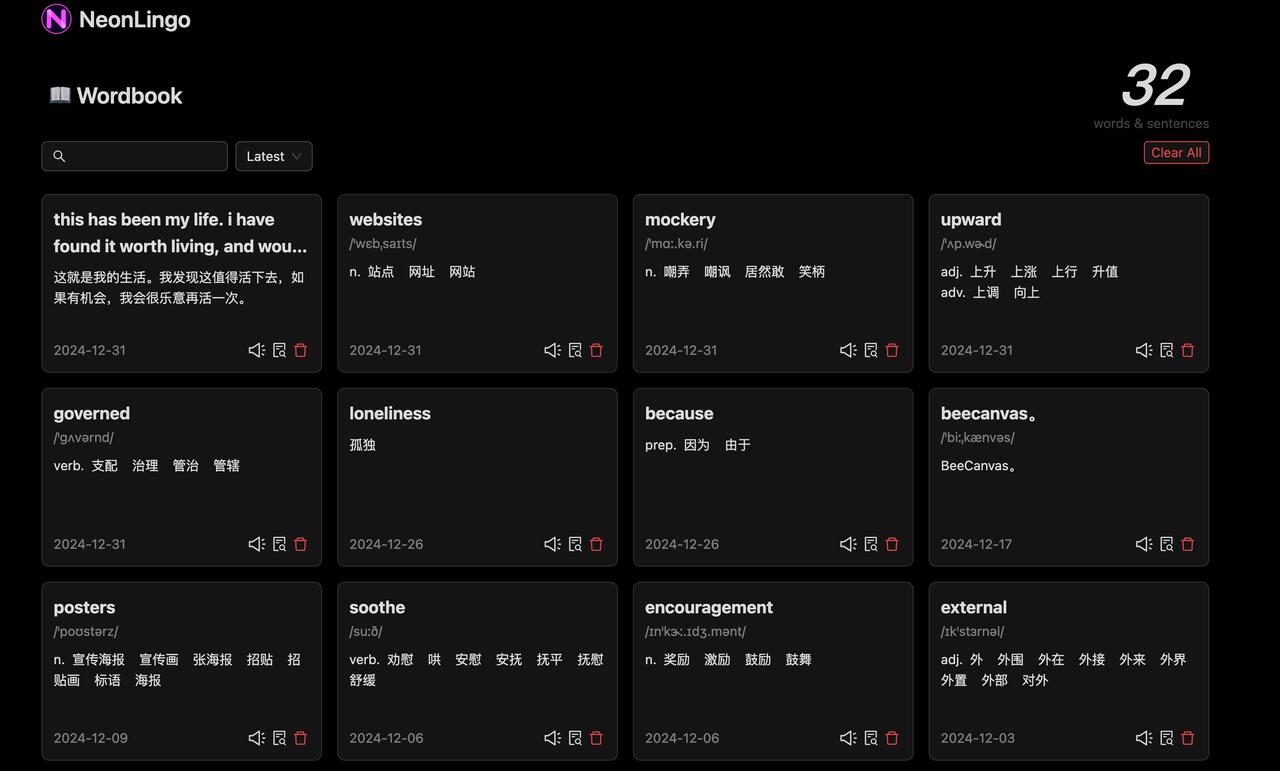
Saved vocabulary can reappear through later highlights, giving repetition inside normal web use.
Built for Learners Who Do Not Want Another Course Tab
NeonLingo is useful when you already spend time reading online and want that time to carry more language value.
Lookups should be fast. Saved words should come from meaningful pages. Review should support reading, not replace it.
The surrounding page tells you why a word appears, which makes it easier to understand and remember. A manageable amount of target language keeps the page readable instead of overwhelming, and re-encountering saved words across later websites turns ordinary browsing into light review.
Good Use Cases
For English speakers learning Spanish, use familiar websites as the base layer, then let Spanish vocabulary appear where the surrounding English still gives enough meaning.
For intermediate learners reading foreign-language pages, translate only the parts that block comprehension and keep the original page as the main input.
For people who forget words after reading, save vocabulary during the reading moment, then rely on later highlights and wordbook review to make the word easier to recognize next time.
FAQ
Is this the same as translating a whole page?
No. Full-page translation can help you understand information, but it often removes the language-learning layer. NeonLingo is designed around selective help, contextual reading, vocabulary capture, and repeated exposure.
Do I need to study grammar first?
No. Grammar can help, but this workflow starts with making input easier to understand. You can begin with the content you already read and let small pieces of the target language become familiar over time.
Will this make me fluent passively?
No tool should promise that. Passive exposure helps most when it is paired with attention, curiosity, and repeated encounters. NeonLingo lowers the friction so those encounters happen more often.
Related Reading
For the broader workflow, read how to learn a language while browsing foreign websites.
You can also read why you forget words after reading English, use language to learn what you love, or browse more NeonLingo learning guides.
Install NeonLingo and let the pages you already read become a steady source of vocabulary, context, and repeated exposure.