Export more blogs
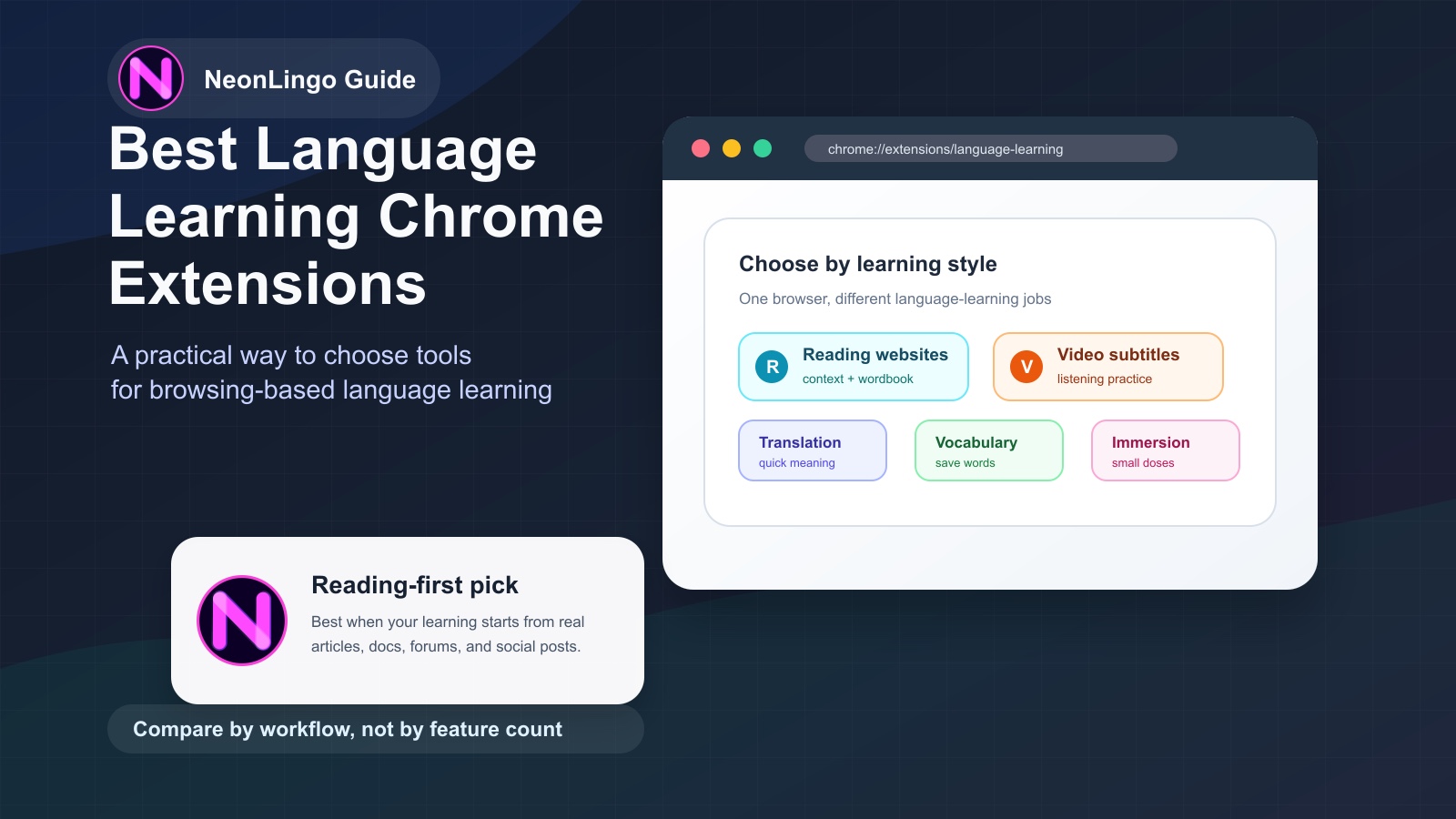
The best language learning Chrome extensions are the ones that match how you already use the web: reading real pages, watching videos, translating difficult text, saving useful words, or getting small bits of target-language exposure while you browse.
For most busy learners, the strongest option is not the extension with the longest feature list. It is the one that turns a real browsing habit into understandable language input.
If you want to learn from articles, websites, forums, docs, and social posts, choose a reading-first extension; if you mostly learn through Netflix or YouTube, choose a subtitle tool; if you only need fast meaning, a translation extension may be enough.
TL;DR
The best language learning Chrome extensions fall into five practical groups: reading-first tools, video subtitle tools, quick translators, vocabulary savers, and word-replacement or immersion tools.
NeonLingo is best for learners who want to learn while reading real websites, because it focuses on contextual help, vocabulary capture, and repeated exposure inside normal browsing.
For English-speaking learners, this often means picking up Spanish vocabulary while reading familiar pages, getting help with French articles, understanding Japanese or Chinese websites, or saving useful words from real content instead of memorizing isolated lists.
This guide breaks down the main types of Chrome extensions for language learning and how to choose the right one.
What Makes the Best Language Learning Chrome Extensions Useful?
The best Chrome extension depends on how you actually learn.
Some learners want subtitles for Netflix and YouTube. Some want quick translations. Some want flashcards. Some want to read real websites in their target language without constantly switching tabs.
Before choosing a tool, look for five things.
1. It Works Where You Already Read
The strongest browser-based learning tools fit into your normal reading habits.
If you read news, blogs, Reddit, product reviews, documentation, or social posts, your extension should help on those pages. The less you have to change your behavior, the more likely you are to keep learning.
2. It Helps With Context, Not Just Dictionary Meaning
Language is not only vocabulary. A word can mean different things depending on the sentence, topic, and tone.
For example, if you are learning Spanish, the word quedar can mean different things in different contexts. A basic dictionary entry helps, but a context-aware explanation is often more useful while reading.
3. It Captures Words You Actually Encounter
Words are easier to remember when you first meet them in a real situation.
A good extension should help you save vocabulary from real pages, not only from a prebuilt word list. This makes your vocabulary more personal: travel words if you read travel blogs, tech words if you read documentation, food words if you read recipes, and so on.
4. It Helps You Meet Words Again
Looking up a word once is not enough.
The real value comes when you see that word again in a new article, post, or webpage. Extensions that support highlighting, review, or repeated exposure can help turn one-time lookups into long-term memory.
5. It Does Not Turn Browsing Into Homework
The point is not to make every page feel like a classroom.
The best tools keep you reading. They reduce friction, explain what blocks understanding, and let you continue with the content you came for.
Quick Comparison: Which Extension Type Fits You?
| Learning goal | Best extension type | What it helps with | Main tradeoff |
|---|---|---|---|
| Learn while reading real websites | Reading-first assistant such as NeonLingo | Contextual help, vocabulary capture, repeated exposure | Not a full course curriculum |
| Learn from Netflix or YouTube | Video subtitle extension such as Language Reactor | Listening input, dual subtitles, replay | Less useful for articles and social posts |
| Understand a page quickly | Translation extension | Fast comprehension of selected text or full pages | Can become passive if you translate everything |
| Stop losing words you look up | Vocabulary saver or wordbook tool | Saving and reviewing words from real pages | Needs some review habit |
| Add light exposure to familiar pages | Word-replacement or immersion extension | Small target-language doses while browsing | Needs good difficulty control |
Use the table as a shortcut, not a ranking. A learner who reads Spanish news needs a different browser setup from someone who watches Korean dramas or wants Japanese dictionary help inside blogs.
Best for Learning While Reading Real Websites: NeonLingo
NeonLingo is built around a simple idea: learn languages while browsing.
Instead of asking you to open a separate course app, NeonLingo adds a language learning layer to the web pages you already read.
It is especially useful if you want to:
- learn vocabulary from real websites
- get contextual translation while reading
- save useful words as you encounter them
- see saved words again across the web
- make language exposure part of your daily browsing
For example, an English-speaking learner studying Spanish could read normal English articles while gradually encountering Spanish words in familiar contexts. The same learner could also read Spanish pages and use contextual help when a sentence becomes too difficult.
That two-way workflow matters:
- On familiar pages, you can add target-language exposure without losing the meaning of the article.
- On foreign-language pages, you can make real content understandable enough to keep reading.
This is close to the idea of comprehensible input: language learning works better when the input is understandable but still slightly challenging.
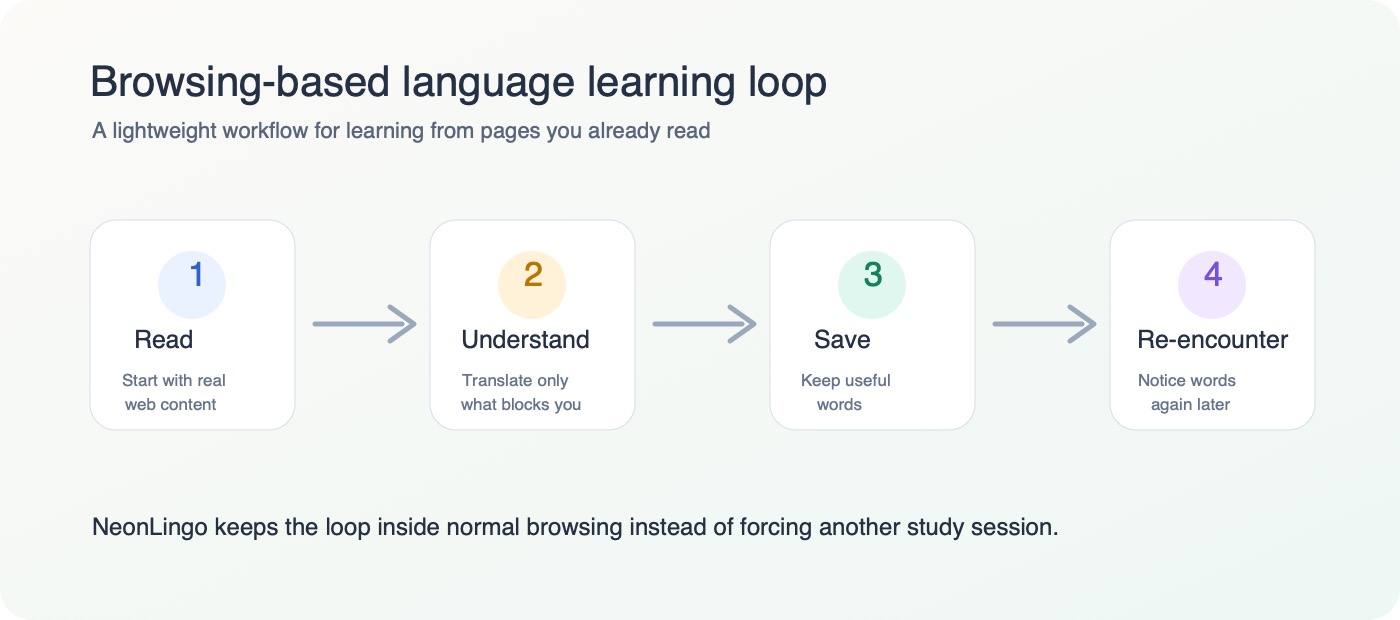
NeonLingo is a good fit if you are tired of switching between your browser, a translator, a notes app, and a flashcard tool. The goal is to keep the learning loop inside your normal reading.
Best for: learners who want real web reading, contextual translation, vocabulary capture, and repeated exposure.
Less ideal for: people who only want video subtitles or a traditional course path.
Best for Video Subtitles: Language Reactor
Language Reactor is one of the best-known browser tools for learning through video. It is commonly used with Netflix and YouTube, where subtitles, translations, and playback controls can support listening practice.
This kind of tool is useful if your main learning habit is watching shows, interviews, or YouTube videos in your target language.
For Spanish, French, Japanese, Korean, and many other languages, video can be excellent input because you get pronunciation, emotion, and visual context at the same time.
The tradeoff is that video-first tools are not always designed for everyday web reading. If most of your language exposure comes from articles, blogs, forums, documentation, or social posts, a reading-first extension may fit better.
Best for: learners who watch a lot of Netflix or YouTube in the target language.
Less ideal for: learners whose main goal is reading websites and saving vocabulary from articles.
Best for Quick Translation: Browser Translation Tools
Sometimes you do not need a full learning system. You just need to understand a word, phrase, or page quickly.
Translation extensions are useful for:
- checking the meaning of selected text
- translating a full page
- understanding a comment or short post
- getting through content that is above your current level
The risk is that translation can become too passive. If every page is instantly converted into English, you may understand the content but miss the chance to notice the target language.
For language learning, quick translation works best when you use it selectively.
Instead of translating everything, try this:
- Read as much as you can first.
- Translate only what blocks understanding.
- Save words that seem useful.
- Continue reading in the original language when possible.
Best for: fast comprehension and occasional help.
Less ideal for: building long-term vocabulary without a save/review workflow.
Best for Vocabulary Building: Save-While-Reading Extensions
Vocabulary builder extensions focus on the words you meet while browsing.
This is a strong category because it connects vocabulary to context. You are not memorizing a random list. You are saving words from pages you actually chose to read.
A good vocabulary workflow usually includes:
- selecting or double-clicking a word
- seeing a translation or explanation
- saving the word
- reviewing it later
- seeing it again in future contexts
This is helpful for learners who read regularly but forget the words they look up.
If you are learning Spanish, for example, you might save words from a recipe blog, a football article, a travel forum, or a news story. Over time, your vocabulary list starts to reflect your real interests.
Best for: learners who look up many words and want to stop losing them.
Less ideal for: learners who dislike review or want a fully structured curriculum.
Best for Immersion on Familiar Pages: Word or Sentence Replacement Tools
Some language learning extensions work by replacing words or sentences on pages written in your native language.
For example, if your native language is English and you are learning Spanish, the extension might replace a few English words with Spanish words while you read an English article.
This can work well because the surrounding sentence gives you context. You are not dropped into a full Spanish article before you are ready. You are reading something familiar with a small amount of target-language challenge.
The key is balance.
If too little is replaced, you barely notice it. If too much is replaced, reading becomes annoying. The best experience lets you adjust the difficulty or density so the page stays readable.
Best for: beginners and intermediate learners who want low-friction exposure.
Less ideal for: advanced learners who want full native-language content.
Best for Reading Native Content: Contextual Reading Assistants
At some point, every language learner hits the same wall:
Lessons feel manageable, but real websites feel too hard.
This is where contextual reading assistants are useful. They help you read native-language content without turning every sentence into a separate research project.
If you are learning Japanese, this could mean reading a blog post and getting help with unknown words. If you are learning French, it could mean reading an article and saving phrases you want to recognize later. If you are learning Chinese, it could mean getting support while reading social posts or comments.
The goal is not to make everything effortless. The goal is to keep you inside real content long enough for learning to happen.
Best for: learners moving from lessons to real-world reading.
Less ideal for: absolute beginners who need basic pronunciation, grammar, or alphabet support first.
How to Choose the Best Language Learning Chrome Extensions
Use this quick decision guide.
Choose a reading-first extension like NeonLingo if:
- you want to learn from websites you already read
- you care about vocabulary in context
- you want to save words without switching apps
- you want repeated exposure across the web
- you prefer low-friction learning over formal lessons
Choose a video subtitle extension if:
- you mostly learn from Netflix or YouTube
- listening is your main goal
- you like pausing, replaying, and comparing subtitles
Choose a quick translation extension if:
- you mostly need comprehension
- you do not care about saving vocabulary
- you want to translate pages or selected text quickly
Choose a flashcard-heavy tool if:
- you like structured review
- you already use spaced repetition
- you want more control over decks and study sessions
Choose a replacement or immersion tool if:
- you are a beginner or lower-intermediate learner
- you want target-language exposure on familiar pages
- you do not want to jump into full native content yet
Why Browsing-Based Learning Works
The biggest problem with language learning is not usually motivation on day one. It is consistency on day thirty.
Browser-based learning helps because it attaches language exposure to something you already do.
You are already reading. You are already searching. You are already opening tabs. You are already following your interests.
When a Chrome extension adds translation, vocabulary capture, or target-language exposure inside that routine, learning becomes less dependent on willpower.
This does not mean you can become fluent by doing nothing. Speaking, listening, grammar, and active practice still matter.
But browsing-based learning can make your daily input much stronger.
It can help you:
- notice useful words more often
- read real content earlier
- build vocabulary from your interests
- reduce copy-paste translation
- stay connected to the language between formal study sessions
That is why tools like NeonLingo focus on the browser. The web is already where your attention lives. A language learning extension can turn part of that attention into input.
FAQ
What are the best language learning Chrome extensions for reading real websites?
It depends on your learning style. If you want to learn while reading real websites, NeonLingo is a strong fit. If you mainly learn through Netflix or YouTube, a subtitle-focused tool may be better. If you only need quick comprehension, a translation extension may be enough.
What is the best Chrome extension for learning a language while browsing?
For browsing-based learning, look for an extension that works on normal websites, explains words in context, saves vocabulary, and helps you meet saved words again. That combination matters more than a long feature list.
Can I learn Spanish with a Chrome extension?
Yes. Chrome extensions can help you learn Spanish by showing words in context, translating difficult phrases, saving vocabulary, and helping you read Spanish pages. They work best when combined with regular exposure and some active practice.
Are language learning Chrome extensions better than apps?
They are not always better; they solve a different problem. Apps are useful for structured lessons. Chrome extensions are useful for turning normal browsing into language exposure. Many learners benefit from using both.
Can I learn a language just by browsing?
Browsing alone is usually not enough for full fluency, but it can be a powerful source of input. If you read regularly, save useful words, and meet them again in context, browsing can support vocabulary growth and reading confidence.
What should I look for in a language learning browser extension?
Look for contextual translation, vocabulary saving, repeated exposure, adjustable difficulty, and support for the kinds of pages you actually read. The best extension is the one that fits your real habits.
Are translation extensions good for language learning?
They can be useful, but only if you use them selectively. Translate what blocks understanding, then return to the original page so you still notice the target language.
Should beginners use browser extensions or course apps?
Beginners often benefit from both. A course app can teach basics in order, while a browser extension can make everyday pages feel more approachable and give you extra exposure between lessons.
Related Reading
- How to learn a language while browsing foreign websites
- Why you forget words after reading English
- Use language to learn what you love
Final Thought
The best language learning Chrome extensions are not the ones with the longest feature lists.
It is the one that helps you keep reading.
If you want language learning to become part of your normal web life, choose a tool that works inside your browser, respects context, saves useful vocabulary, and helps you meet words again.
That is the idea behind NeonLingo: learn languages while browsing, and turn the web you already read into daily language input.